How to discover hidden locations in GTA 6: map, clues and secrets
Learn how to discover hidden locations, new contacts and activities in GTA 6 using environmental clues, conversations and in-game apps.
Last updated: November 19, 2026
To find places and activities in GTA 6, look for environmental clues and check your character’s phone. This guide brings together published observations dated November 18, 2026.
Discovery methods documented by the sources
| Method | What it can reveal |
|---|---|
| Posters | Phone numbers and contacts |
| Conversations and passing buildings | Potential robberies and places of interest |
| Snapmatic | Locations of some posts |
| Magazines, books and comics | Some hunting and fishing locations |
| WAiNK while walking | Nearby scannable locations, including landmarks and sculptures |
| Scanning certain posters | Unlockable music playlists |
1. Explore on foot and listen nearby
Digital Spy describes clues from passing buildings or overhearing conversations. As an exploration method, choose a small area and pay attention to what happens before moving on to your next destination.
Separate information received from actions you have completed. A tip about a business does not establish that you can already enter or rob it. Save its name and the context so you can check later.
2. Examine posters and publications
Digital Spy reports that some posters provide contacts. Certain reading material reveals hunting or fishing locations, while much of it adds background lore.
Also distinguish what you are looking for when scanning. Documents and posters that unlock music. That does not mean every poster adds a location or contact.
3. Check locations through Snapmatic
Digital Spy explains that Snapmatic can track the locations of some posts. Check for that possibility when an entry interests you; it need not apply to every post.
Record which post led you there and what you found on arrival. This guide does not establish an untested button label, menu or control sequence.
4. Watch for WAiNK prompts while walking
An on-screen notification appears when you are on foot near a scannable location. Examples include landmarks and sculptures. Scan progress is available under Progress > Collections > Waink Locations.
When the prompt appears, locate the indicated object and use WAiNK following the game’s instructions. We do not specify a detection radius or a reward shared by every scan. Music playlists from certain posters are documented separately.
5. Check the discovery against our map filters
Open the GTA Game Intel interactive map, select a region and search for the name. You can filter by category, official or community origin and in-game verification. Those controls belong to our website; they do not describe GTA 6’s map interface.
Categories include shops, workshops, garages, hospitals, police stations, activities and collectibles. If there is no result, keep your notes: absence from our catalogue does not establish that a place is absent from the game.
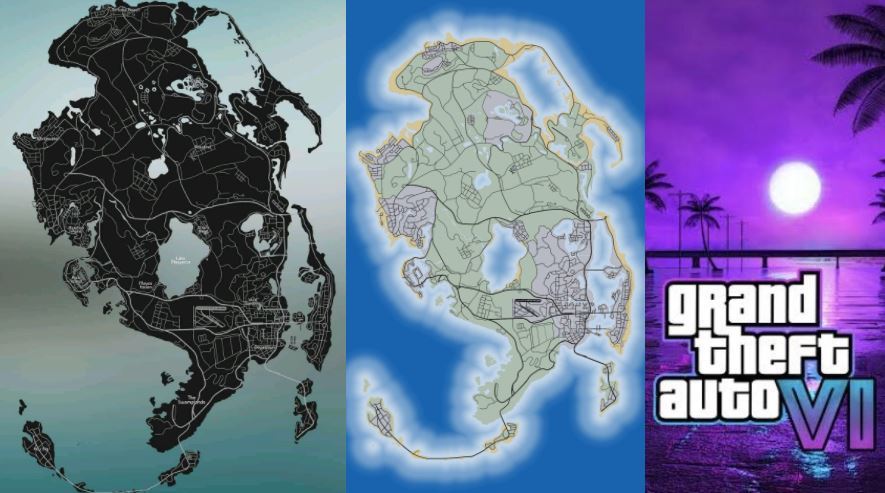
The interactive map uses Rockstar’s official Leonida poster as its background, checked November 19, 2026. GTA Game Intel supplies the profiles and approximate positions. Read their source and precision before using a position as a clue; the map does not calculate in-game routes.
6. Keep unresolved places for another visit
If a clue remains unresolved, note what you could not check and return when you have new information. Record the in-game time and story progress if they seem relevant to comparing visits.
This is a tracking recommendation. This guide does not establish which interiors or encounters change over time, or which mission changes their availability. We do not promise that waiting or advancing the story will resolve a particular access problem.
7. Record and share your discoveries
To preserve a discovery, save its name or a provisional description, a capture of the place and the in-game map, and the action you could perform. Add platform, version and progress when they help someone reproduce it.
If a profile already exists on our map, open it and use “Copy link”. That shares the selection on GTA Game Intel; it does not add a marker to your save. Profiles link to their regional guides and to individual location guides when published. This version has no public location submission form.