How to pre-order GTA 6: stores, formats and bonuses
Check your platform, account, region and purchase terms before ordering GTA VI, and distinguish a pre-order from preloading and edition choice.

Last updated: November 8, 2026
You can pre-order Grand Theft Auto VI (GTA VI) through the storefronts linked by Rockstar Support: PlayStation Store, Xbox Store and Rockstar Store. Before paying, choose your console, the account you will use and whether you want a digital purchase or a code delivered in a box. Choosing Standard or Ultimate is a separate decision.
Our troubleshooting tree: identify the missing step
A paid order, an attached licence, downloaded files and game access are four separate states. Finding the stalled step helps avoid paying twice for a problem that does not need another purchase.
| What you see | First check | Useful support details |
|---|---|---|
| No order found | Seller and confirmation email | Order reference and date |
| Order exists, game absent from account | Purchase or redemption account and platform | Product and account used |
| Game present, download fails | Error message and target drive | Error code and free space |
| Installation complete, game will not open | Store launch status | Exact message and platform |
If a retailer has not delivered the code, network settings cannot fix the missing licence. If installation fails for space, contacting delivery support does not address that failure. These are diagnostic inferences, not results from our own pre-order testing.
Keep a private record of seller, platform, region, edition, format, total, reference and account. Add delivery expectations and promotional terms. Never post codes, addresses or private identifiers in comments.
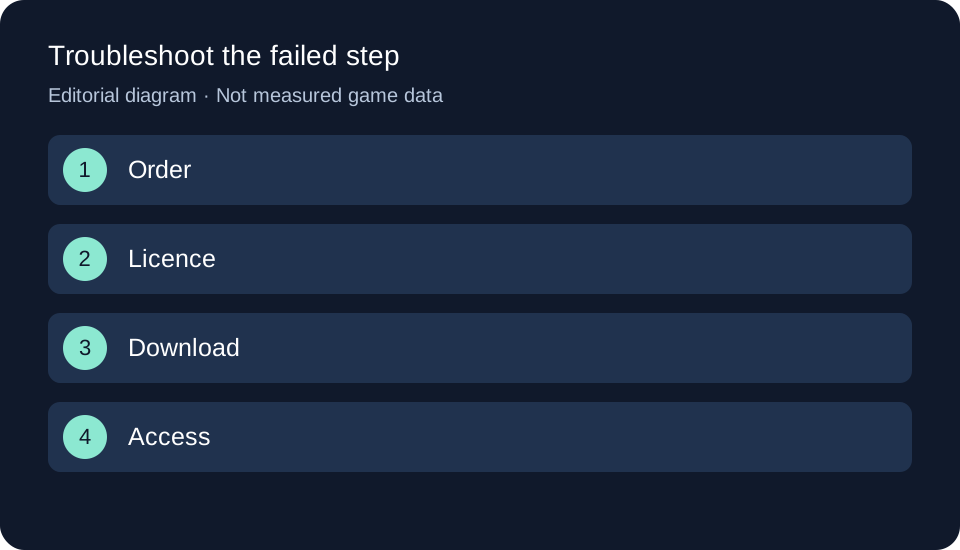
Original GTA Game Intel diagram; the text and table explain the same process.
This is a purchase-preparation guide based on sources checked on November 3, 2026. We have not placed or redeemed a pre-order to test the process.
How to pre-order GTA 6: platform, edition and format
- Start with your console and account. Follow Rockstar’s store link and check your account country. A storefront’s language alone does not identify the licence region.
- Choose an edition. Use the Standard versus Ultimate comparison to weigh the extras. This guide focuses on placing and checking an order rather than repeating the content catalogue.
- Read the format description. Check the written listing before interpreting a box image. Our physical versus digital guide explains the announced code format.
- Check the total and terms. Note currency, final amount, cancellation policy and any associated subscription. Matching dollar and euro numbers are not equivalent prices.
- Keep your confirmation. Save the seller, order reference, platform, edition and purchasing account. For deliveries, check your address and tracking without sharing private details or the redemption code.
What to check for each purchase route
| Purchase route | Before payment | After payment |
|---|---|---|
| Your console’s storefront | Account, country, edition and total | Order and product associated with that account |
| A boxed order | Product reference, code region and delivery terms | Tracking and receipt of the code |
| Another retailer | Seller identity and exact product listing | Confirmation and order-support channel |
Rockstar’s country lists vary by store. An officially linked storefront does not establish that every product variant is available in your territory.
Pre-order bonuses: use your own store’s deadline
The Rockstar Store advertises the Vintage Vice City Pack for orders before November 20. That is a condition of its offer, not a substitute for other stores’ terms or a separate game edition.
The Spanish PlayStation Store attaches redemption and paid-renewal terms to the GTA+ offer. Do not activate a subscription assuming it will end automatically. Check the next billing date and cancellation procedure if you do not want to continue. Our Vintage Vice City Pack guide covers contents and eligibility separately from placing an order.
Pre-ordering, preloading and playing are separate milestones
A pre-order establishes an order; it does not prove the files are installed or the game has unlocked. Use the preload guide to prepare the download and the release-time guide to check the platform and territory relevant to your purchase.
If you are waiting for a box, ask when you will receive the code. A shipping-start date does not guarantee delivery of every order that day. Decide whether waiting for delivery suits you before choosing that format.
If your pre-order is missing or you want to cancel
Check the account and receipt first. Direct delivery and refund questions to the seller that took payment. Rockstar’s purchase FAQ distinguishes PlayStation, Xbox, physical Rockstar Store orders and other retailers. Their cancellation policies should not be assumed identical.
Header image: original editorial vector illustration of a bag and receipt, not official game packaging or an edition announcement.
Official sources
- Rockstar Support — Pre-order stores and countries, updated June 26, 2026: official destinations and territorial availability.
- Rockstar Store — GTA VI pre-orders: the displayed pack offer.
- PlayStation — Spanish GTA VI listing: that store’s GTA+ promotion terms.
- Rockstar Support — Purchase support, updated June 24, 2026: help by seller. Sources checked November 3, 2026.
Related articles
- Standard versus Ultimate: which edition to choose.
- Boxed code or digital purchase.
- Preparing for the GTA 6 preload.
Your next step
Our practical choice is to avoid another purchase until the first order’s existence and status are clear. Ask the seller about payment and delivery; prepare exact messages for account or installation support. This organises an enquiry without promising refunds or an automatic fix.