GTA 6 download size: PS5 and Xbox storage preparation
Check the status of GTA 6 installation sizes and prepare free space, compatible storage and room for updates on PS5 and Xbox Series consoles.

Last updated: November 8, 2026
We could not verify an official installation size for Grand Theft Auto VI (GTA VI) in the sources checked on October 18, 2026. The PlayStation and Xbox listings reviewed do not establish how many GB you will need. A widely repeated estimate is still an estimate.
A manual worksheet before buying storage
Use free space on the target drive. Once your console displays the requirement, calculate shortfall = maximum of zero and requirement minus free space. Separate drives do not form one installation volume.
| Worked example | Hypothetical value | Use |
|---|---|---|
| Free space on target drive | 120 GB | Read it from the console |
| Requirement for an imaginary installation | 150 GB | Replace with the actual requirement |
| Shortfall | 30 GB | 150 − 120 |
| A removable game | 45 GB | Would leave 165 GB before installing |
These are not GTA VI size figures or a recommended buffer. Temporary space must come from the installation or update prompt. Read available space again after removing files.
Rank existing games by how often you play them and how long restoring them would take. Removing an easily downloaded title can solve the problem without buying a drive. A frequently played title has a different recovery cost.
Sony’s storage guide separates game data from saves and explains that PS5 games archived on USB must return to console or M.2 storage to run.
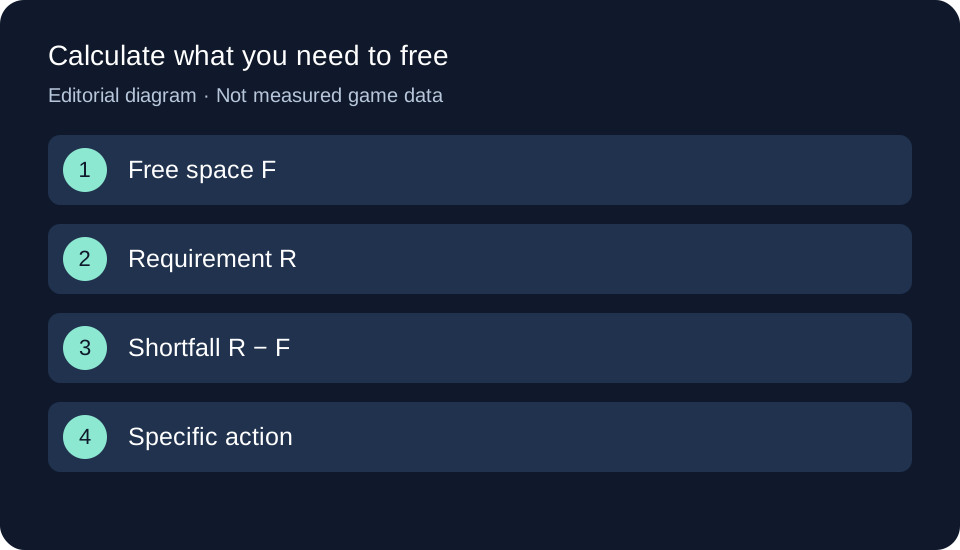
Original GTA Game Intel diagram; the text and table explain the same process.
Official size tracker
| Platform | Verified size in this review | Still to check |
|---|---|---|
| PS5 | Pending | Download and installed size for the PS5 version |
| Xbox Series X | Pending | Installation size shown on Series X |
| Xbox Series S | Pending | Installation size shown on Series S |
We do not assume that both Xbox models download identical files. This table needs an official listing or identifiable console download stating platform, version and date before a number can be added. It does not update automatically.
Check available storage before buying more
On PS5, open Settings → Storage and look at available space rather than the console’s advertised capacity. PlayStation’s storage guide explains how to manage games and apps. Identify what you can download again and protect saved progress before deleting anything.
On Xbox Series, review storage in console settings and check the drive selected for installation. Once the console shows the game’s requirement, compare it with that drive’s free space rather than adding together every connected drive.
Storage checklist for your console
Playing on PS5
- Open Settings → Storage and note free space on the console storage or M.2 drive you intend to use.
- If you keep PS5 games on USB storage, check what can stay archived and what needs moving back to playable storage.
- Identify games you can uninstall and download again; check saved data before deleting anything.
- Once an official PS5 size is available, compare it with that drive’s free space and follow any additional requirement shown by the console.
Playing on Xbox Series X or Series S
- Identify your console model and intended installation drive; do not add together multiple drives’ free space.
- Note available space and check compatibility before buying any storage expansion.
- Decide which games can be removed or archived while protecting saved progress.
- When the console displays a requirement, confirm it applies to your installation and check again if updates are added.
These steps prepare storage, but cannot yet confirm you have enough space for GTA VI. You still need the game’s requirement. This is a manual checklist without saved progress.
PS5 SSD upgrades and Xbox expansion storage
A PS5 M.2 SSD must meet Sony’s requirements, including interface, dimensions and cooling. PS5 games can run from a compatible M.2 SSD. USB storage can hold PS5 games, but you must copy them back to console storage or M.2 storage to play.
For Xbox, a compatible Series X and Series S expansion card adds storage with performance matching the internal SSD according to Microsoft. Do not assume an arbitrary USB SSD provides the same functionality. There is no verified GTA VI storage requirement here to justify recommending a particular capacity.
Downloads, installed files and updates need separate figures
Data transferred over the Internet can differ from installed size. We also cannot assign a size to a possible launch patch or temporary space needed by a future update. Adding a guessed safety margin to an unconfirmed number would not create a requirement.
When a size is published, check what it measures and review free space again before updating. The announced boxed version contains a download code, as our physical-format guide explains. For the download schedule, use the preload guide.
Header image: original editorial diagram, not Rockstar material or a game screenshot.
Official sources
- PlayStation and Xbox — game listings linked above: scope of the size check.
- PlayStation — linked storage and M.2 guides: general PS5 compatibility and management, not GTA VI requirements.
- Xbox — linked expansion card page: accessory compatibility, not the game’s size.
Related articles
Your next step
Useful outcome: identify one drive, its displayed requirement and specific removable files. If those solve the shortfall, a new SSD need not be the first step.